📥
Connect any source
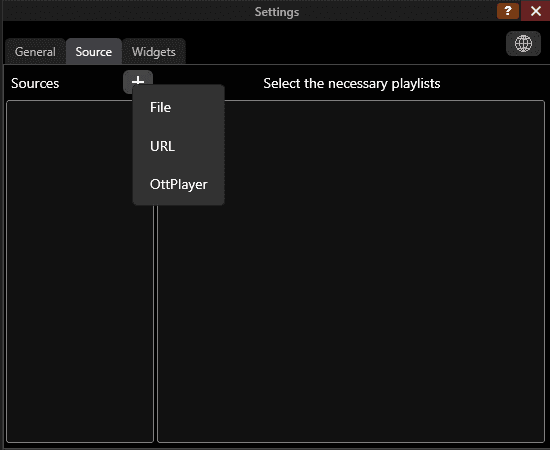
Use OttPlayer, local M3U/M3U8 files, playlist URLs, or Playzy cloud sources.

Bring your playlists, EPG, and viewing experience across desktop, phone, tablet, and Android TV.
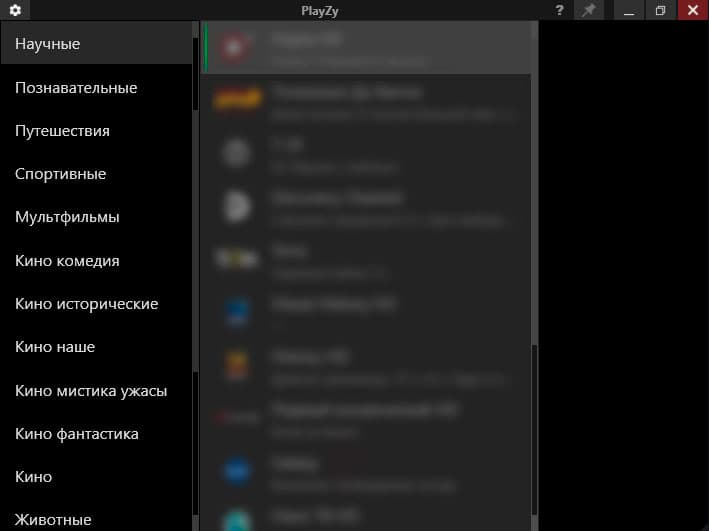
Full navigation without mouse between playlists and channels
Use your Bluetooth remote like with regular TV set-top box
Full-screen interface with current program display
Automatically plays last watched channel on startup
Multi-language interface (English and many translations)
Clock widget and archive rewind (back/forward jump in time).
Organize groups, channels, and playlist views in your account.
Keep your Playzy sources and views available across supported devices.
Set up once and continue watching on Windows, Android, or Android TV.
Connect sources from OttPlayer, local M3U/M3U8 files, playlist URLs, or your Playzy cloud account. Playlists are unified inside the player — open, manage, and choose what to watch.
Use OttPlayer, local M3U/M3U8 files, playlist URLs, or Playzy cloud sources.
Edit groups and channels, create playlist views, and control what appears in the player.
Open the same Playzy account on Windows, phone, tablet, or Android TV.
One setup, every screen
Build your viewing space once and keep it with you.
Playzy brings sources, playlists, groups, channels, and EPG into one clear experience.
Choose your platformClear navigation, programme guide, archive playback, and comfortable control from the remote.

Pause, resume, and seek through the archive with a few remote buttons.

Move through playlists and channels while keeping the current programme in view.